
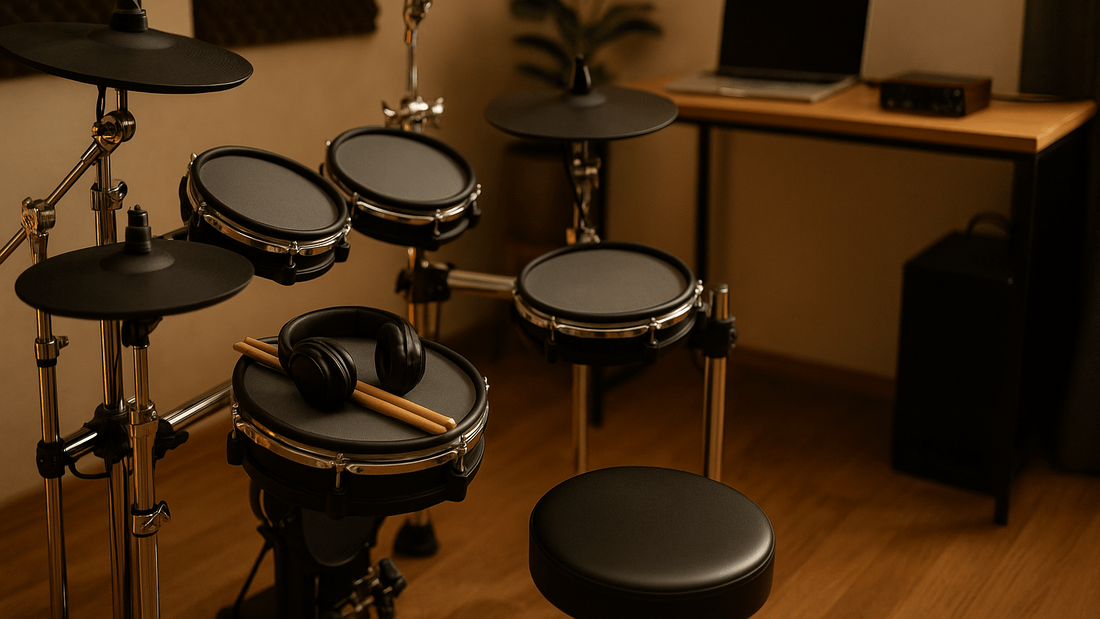
Quick answer: The best electronic drum kit for an apartment is the one that fits the room, supports headphone practice, feels comfortable to play and keeps mechanical impact noise manageable. Electronic drums are usually easier to control than an acoustic kit, but they are not silent: sticks still hit pads, pedals still move and the rack can transmit vibration through the floor.
Choose from measurements and verified specifications rather than a yearly "top picks" list. Product prices, bundles and model features change, while the core buying questions remain the same. This guide explains what to check before choosing an electronic drum kit for a home, apartment or shared space.
Start with the room, not the model
Measure the full playing area before comparing kits. Include the rack, cymbal arms, kick pedal or controller, drum stool and enough clearance for your legs and sticks. A kit can look compact in a product photo but still need extra depth once the stool and pedal are in position.
- Measure the available width and depth.
- Check ceiling clearance if cymbal arms sit high.
- Leave access to doors, wardrobes, windows and power points.
- Plan where headphones, cables and the power supply will sit.
- Confirm that the floor is level and the rack will not obstruct a walkway.
For a shared room, also consider how easily the kit can be folded, moved or stored. A roll-up format serves a different purpose from a rack-mounted kit, so compare playing feel and setup requirements as well as storage size.
What makes an electronic drum kit suitable for an apartment?
Headphone practice
A headphone output lets you hear the module without using a speaker, but it does not remove the physical sound of sticks, pads and pedals. Check the product specifications for the headphone connection and make sure your headphones use a compatible plug or adapter.
Pad material and playing feel
Mesh and rubber pads feel different under the stick. Mesh heads may offer adjustable tension on some kits, while rubber pads can be compact and straightforward. Do not assume a surface is quieter, more responsive or adjustable unless the current specification says so. If possible, compare the rebound and rim height with the way you normally play.
Kick and hi-hat mechanisms
Pedals are often the main source of vibration for downstairs neighbours because the force travels into the floor. Kits may use a beater striking a kick pad, a compact electronic controller or another arrangement. Check what is included, how much floor space it needs and whether it supports your preferred playing technique.
If double-pedal playing matters, confirm the kick pad width, module inputs and manufacturer compatibility before buying a double kick pedal. A pedal being available does not mean it works with every electronic drum kit.
Rack stability and adjustment
A stable rack should hold the pads in comfortable positions without creeping across the floor. Check whether the snare, toms and cymbals can be adjusted for the player's height and reach. For a smaller room, note the rack footprint at the playing position rather than relying only on folded dimensions.
Module connections
Connections matter if you plan to record, use virtual instruments or add equipment later. Look for the exact outputs and inputs you need, which may include headphones, stereo or mono audio outputs, auxiliary input, USB and MIDI. USB/MIDI in a product title does not automatically mean multichannel audio recording, so confirm the current manual or specification.
Current Tempo Gear electronic drum formats
The current Tempo Gear electronic drum kit collection lists four formats. The table below repeats only information stated in the current product titles. Check each product page for the complete, current specification and included components.
| Current product title | What the title confirms | What to verify before choosing |
|---|---|---|
| Roll Up Drum Kit | Roll-up format | Playing surfaces, foot controls, outputs, power and storage dimensions |
| Electronic Drum Kit - MX510 | Electronic drum kit model MX510 | Current pad layout, module connections, included components and floor space |
| Silent Drum Set with Mesh Heads & USB MIDI | Mesh heads and USB MIDI are named | Mechanical impact noise, exact connections, included pedals and dimensions |
| Ultimate Beat Electronic Drum Kit with Mesh Pads and USB MIDI | Mesh pads and USB MIDI are named | Pad zones, module functions, included pedals, outputs and expansion support |
The word "silent" in a product title should not be treated as a promise of zero audible or structural noise. Apartment suitability depends on the building, floor, room, playing force, pedal mechanism and time of use.
Choose by use case
Beginner practice
Prioritise a comfortable layout, clear module controls, a metronome or practice functions if specified, and an easy headphone connection. Check whether the listing includes a stool, sticks, headphones and pedals rather than assuming they are part of the kit.
Apartment or shared-house practice
Prioritise the real footprint, pedal impact, rack movement and the hours when you can play. A smaller kit may be easier to position away from a shared wall, but the kick mechanism can still transmit vibration. Discussing practice times with other occupants can be more effective than relying on a "quiet" label.
Recording and virtual instruments
Confirm whether the module sends MIDI, audio or both over USB. MIDI records performance data that can trigger software instruments; audio records the module's sound. Check computer compatibility, required drivers and the available outputs before planning a recording workflow.
Rehearsal or live use
Check the audio outputs, cable routing, rack stability, transport size and how quickly the kit can be assembled. If you need a speaker, verify the module output and speaker input instead of assuming any drum amplifier is compatible.
Double-kick or advanced technique
Confirm kick-pad size and pedal compatibility, hi-hat configuration, pad zones and module trigger inputs. These details affect technique and expansion more directly than the number of preset sounds.
Electronic drum kit buying checklist
- Measure the complete setup. Include the stool, pedal and playing clearance.
- List essential connections. Write down the required headphone, audio, USB and MIDI ports.
- Check every included component. Do not assume the product includes a throne, headphones, sticks, kick pedal or amplifier.
- Compare pad layout and zones. Verify the snare, tom, cymbal and hi-hat configuration in the current specification.
- Assess mechanical noise. Consider stick impact, pedal force, rack vibration and the building floor.
- Confirm adjustability. Make sure the kit can be positioned for the player's height and reach.
- Plan for recording or expansion. Verify module inputs, outputs and compatibility before buying extra pads or pedals.
- Calculate the complete setup cost. Include only accessories that are not supplied and that your setup actually needs.
How to reduce disturbance in a shared space
- Use headphones when external speaker volume is not appropriate.
- Place the kit on a stable surface that protects the floor and prevents the rack from sliding.
- Move the kit away from shared walls where the room layout allows.
- Keep the rack tightened according to the manufacturer's instructions to reduce movement and rattling.
- Test the kick and hi-hat pedals from the room below or beside the setup if possible.
- Agree on practice times in apartments and shared homes.
Mats, platforms and isolation products may change the amount of vibration transferred to the building, but results depend on the structure and installation. They do not guarantee soundproofing. For persistent transmission problems, seek building-specific acoustic advice.
Common buying mistakes
- Choosing from price alone: a lower kit price may not include every accessory required for your setup.
- Assuming electronic means silent: headphones control amplified sound, not stick and pedal impact.
- Ignoring the stool and pedal footprint: the complete playing area is larger than the rack alone.
- Buying expansion hardware first: confirm module inputs and manufacturer compatibility before adding pads or pedals.
- Confusing USB MIDI with USB audio: verify what data the module actually sends.
- Using old model and price tables: check the current product page instead of relying on dated recommendations.
Final decision
For an apartment, start with space, mechanical noise and practice method. For recording, add the exact connection requirements. For live use, add outputs, transport and rack stability. Then compare only kits that satisfy those needs.
Browse the current electronic drum kit range and verify the latest specifications and included components on the individual product page before ordering.


